> For the complete documentation index, see [llms.txt](https://docs.filliquid.io/llms.txt). Markdown versions of documentation pages are available by appending `.md` to page URLs; this page is available as [Markdown](https://docs.filliquid.io/ko/testnet-user-manual/farming-usdfig/fit-farm.md).
# FIT Farm
After depositing your FIL for lending, you will receive FIT equity tokens.
In addition to receiving the staking income of FIL, the FIT tokens provide the options to stake in the farm to obtain the reward in governance tokens, FIG.
The FIG returns will be rewarded to protocol users according to fixed release rules, which can be found in the white paper.
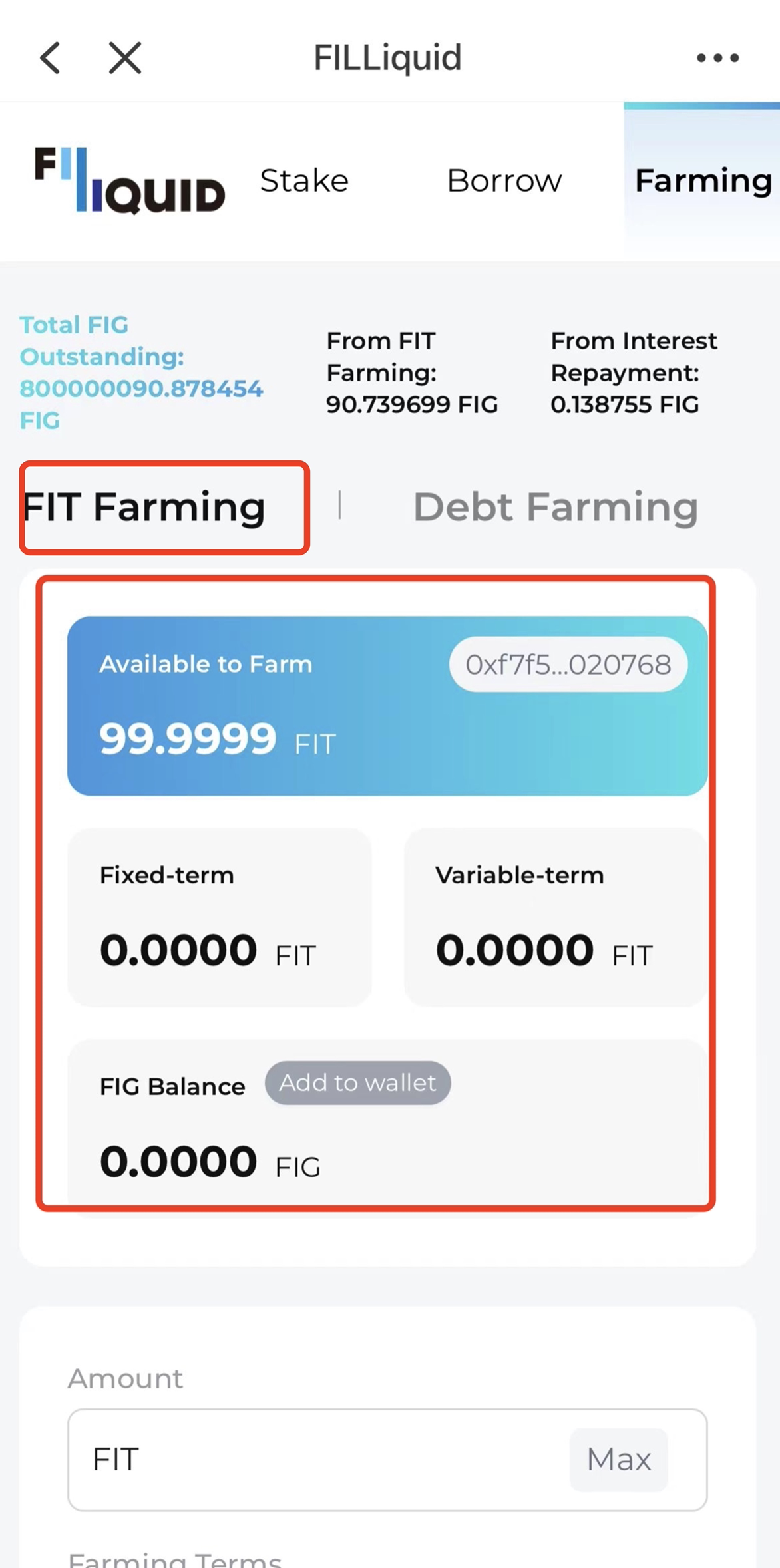
Here is how to stake FIT:
Figure 14
* Open the Farming page to open the FIT farming panel.
* Here, you can see the balance of your FIT and the current amount of FIT pledged.
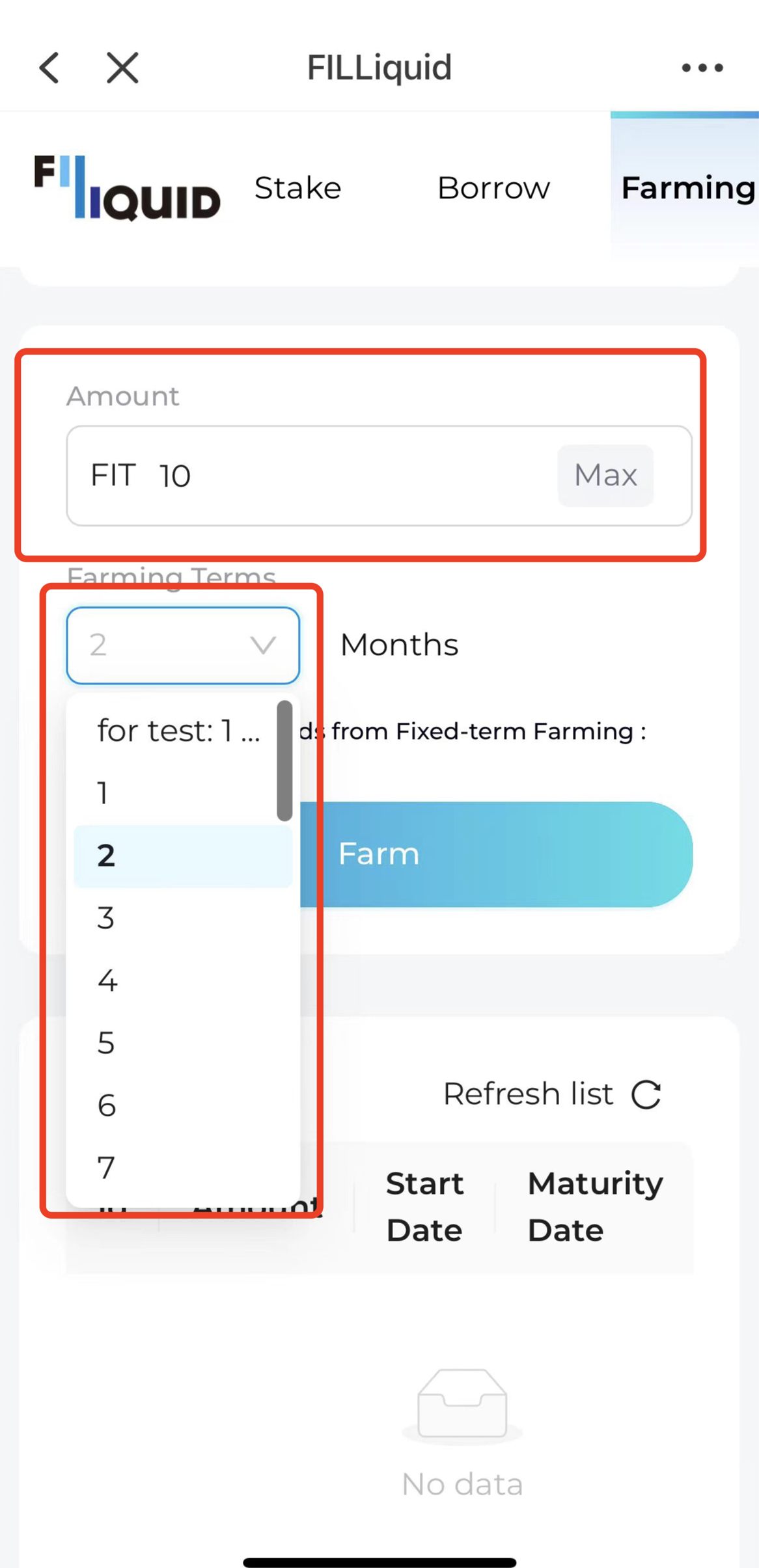
Figure 15
* First, enter the amount to be pledged in the text box
* Then, choose the period of the pledge.
* There are different lock-up periods from 1 month to 1 year, allowing you to choose according to your own needs.
* Different periods of pledge yield provide different returns.
* Essentially, the longer the period, the higher the yield.
* It should be noted that the yield is dynamically adjusted according to the number of pledges on the entire network. For specific rules, please refer to the white paper.
Once you are happy with the staking criteria, click "Confirm" to stake FIT. The wallet will pop up a confirmation box, and you can sign the transaction again to confirm.